mlmr is an open-source R package and Shiny app for fitting, understanding, and reporting mixed-effects and multilevel models. It is designed for researchers, instructors, graduate students, and applied analysts who want a guided model-building workflow without giving up transparent R code.
The app uses lme4 under the hood and helps users move from data, grouping structure, centering decisions, fixed effects, random effects, and interactions to APA-style tables, level-by-level equations, combined equations, Tau variance-covariance displays, diagnostics, and reproducible exports.
Why Use mlmr?
Many researchers learn multilevel modeling through level-based software workflows, but later need reproducible R syntax for manuscripts, theses, teaching, and open science. mlmr is meant to bridge those worlds:
- model setup feels familiar to users who think in Level 1, Level 2, and Level 3 terms;
- fitted models are still ordinary
lme4models; - centering, dummy coding, interactions, and random-effects choices are made explicit;
- results are paired with reproducible R code and manuscript-ready LaTeX.
What the App Looks Like
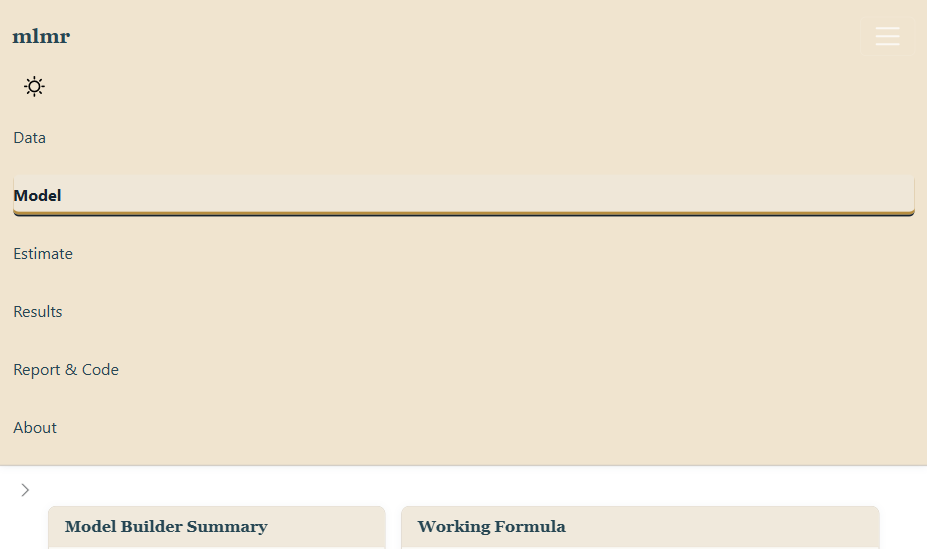
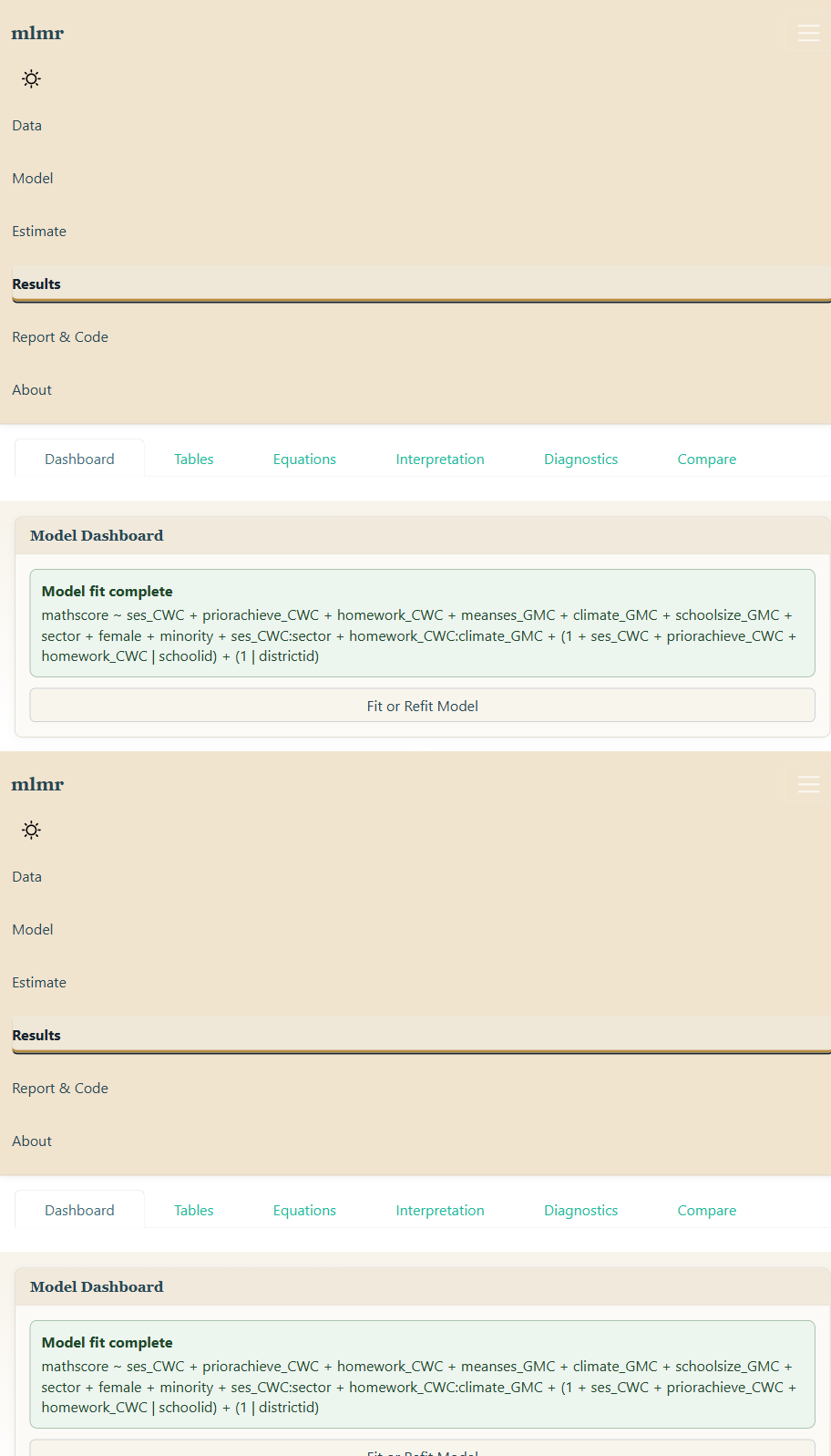
The app is organized around a guided workflow rather than a blank formula box:
- Data: load the built-in example or upload your own file.
- Model: declare outcome, grouping variables, predictor levels, centering, interactions, and random effects.
- Estimate: fit or refit the model with visible feedback.
- Results: review diagnostics, APA-style tables, equations, variance components, and reporting exports.
Screenshots and a visual walkthrough are available on the documentation site:
https://marcusharrisphd.com/mlmr/
Current Features
- Guided Shiny interface for two- and three-level nested model workflows
- User-declared Level 1, Level 2, and Level 3 predictor selection
- Random intercept and random slope models
- Correlated and independent random-effects structures
- Grand-mean and cluster-mean centering controls
- Interaction and cross-level interaction support
- Built-in HSB-style example data with preset model choices
- Upload support for CSV, TSV/TXT, Excel, SPSS, SAS, and Stata files
- Model-readiness checks before fitting custom models
- APA-style fixed-effects, variance components, ICC, and dummy-coding tables
- Level-by-level equations, combined equations, and Tau matrix displays
- Diagnostics, model comparison tools, and convergence guidance
- Reproducible R code, Quarto report, HTML, Word-compatible, and LaTeX exports
Installation
mlmr is currently available from GitHub:
install.packages("pak")
pak::pak("MarcusHarrisUConn/mlmr")
For the current public alpha prerelease:
pak::pak("MarcusHarrisUConn/mlmr@v0.1.0-alpha.2")You can also install with remotes:
install.packages("remotes")
remotes::install_github("MarcusHarrisUConn/mlmr")
Launch the App
mlmr::run_mlmr()The app opens with a built-in HSB-style example so users can test the complete workflow before uploading their own data.
During local development, run the app directly from the project folder:
shiny::runApp(".")Docker
You can also run mlmr in Docker for demos, workshops, or deployment testing:
Then open localhost:3838 in your browser.
With Docker Compose:
See DOCKER.md for image publishing notes and GitHub Container Registry details.
Use the Backend Directly
The Shiny app is the guided interface, but the same model-building and reporting tools can be used directly in R:
dat <- mlmr::example_hsb()

spec <- mlmr::mlm_spec(
  outcome = "mathscore",
  fixed = list(
    ses = list(center = "CWC"),
    meanses = list(center = "GMC")
  ),
  grouping = list(schoolid = "schoolid"),
  random = list(
    schoolid = list(intercept = TRUE, slopes = "ses", correlation = TRUE)
  ),
  data = dat
)

fit <- mlmr::mlm_fit(spec)
mlmr::mlm_apa_tables(fit)
mlmr::mlm_latex_equations(fit)
mlmr::mlm_software_apa()
The software-reporting helpers create a manuscript-ready statement and table with the R version and package versions used in the analysis.
To inspect the current production scope from R:
mlmr::mlm_supported_models()This returns a table describing supported, experimental, and planned modeling areas, along with the checks users remain responsible for before treating a model as final.
For APA manuscript workflows that use papaja, mlmr also generates optional code using papaja::r_refs() and papaja::cite_r():
cat(mlmr::mlm_papaja_code(), sep = "\n")Five-Minute Demo
- Launch the app with
mlmr::run_mlmr(). - Keep the built-in example data selected on the Data tab.
- Review grouping factors, missingness, and variable roles.
- Open Model and inspect the outcome, declared predictor levels, centering, interactions, and random-effects choices.
- Click Fit Example Model.
- Review Results > Tables, Results > Equations, and Results > Diagnostics.
- Open Report & Code to export reproducible R code, raw LaTeX, APA tables, and a Quarto-ready report.
Documentation
The package includes vignettes for getting started and for equations/reporting:
vignette("getting-started", package = "mlmr")
vignette("supported-models", package = "mlmr")
vignette("equations-and-reporting", package = "mlmr")
The public package documentation site is:
https://marcusharrisphd.com/mlmr/
This site is built with pkgdown so users can browse tutorials, reference documentation, screenshots, and beta feedback instructions without installing the package first.
PDF Reference Manual
CRAN automatically generates a PDF reference manual from package help files after a package is accepted. During development, the same kind of manual can be created locally from the package root with:
devtools::build_manual()This requires a working LaTeX installation. The PDF manual is useful for checking function documentation, but the pkgdown site and vignettes are the main user-facing guides during beta testing.
Website Placement
The main academic website can use a Software tab as the public entry point for research tools. A concise entry for mlmr can link to:
- the package documentation site: https://marcusharrisphd.com/mlmr/
- the GitHub repository: https://github.com/MarcusHarrisUConn/mlmr
- the issue tracker for beta feedback: https://github.com/MarcusHarrisUConn/mlmr/issues
Public Beta Feedback
mlmr is ready for structured demo testing and early feedback. If you try the app, please open a GitHub issue with comments about the model-building workflow, equations, APA tables, diagnostics, generated code, or uploaded-data experience:
https://github.com/MarcusHarrisUConn/mlmr/issues
For a structured checklist of what to test, see the beta testing guide:
https://marcusharrisphd.com/mlmr/BETA_TESTING.html
Helpful feedback includes:
- the model structure you tried;
- whether you used the built-in example or uploaded data;
- screenshots of confusing output;
- generated code if reproducibility was the issue;
- warning or error messages;
- what you expected to happen instead.
For a short guided walkthrough, see DEMO.md.
Current Status
mlmr is in public beta. The current version is suitable for demonstration, teaching, usability testing, and structured feedback. Users should independently verify model specification, convergence, diagnostics, and interpretation before using results in production research.